Tasks and Sub-Tasks
Improved task list and child task workflows
This page covers the updated task list and task detail experience.
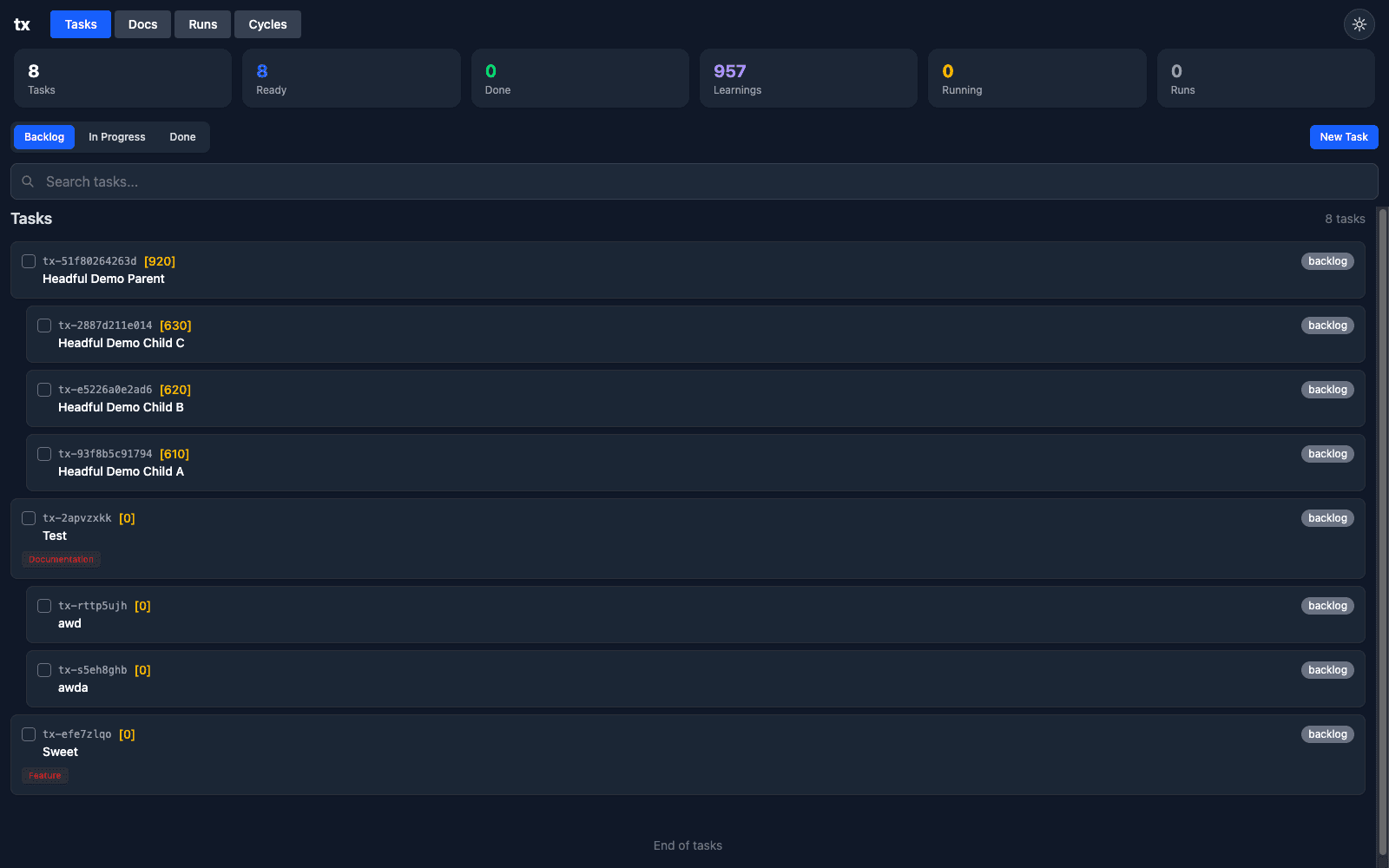
Tasks Overview
The Tasks view combines queue metrics, status filtering, and search so you can move between triage and execution without leaving the page.
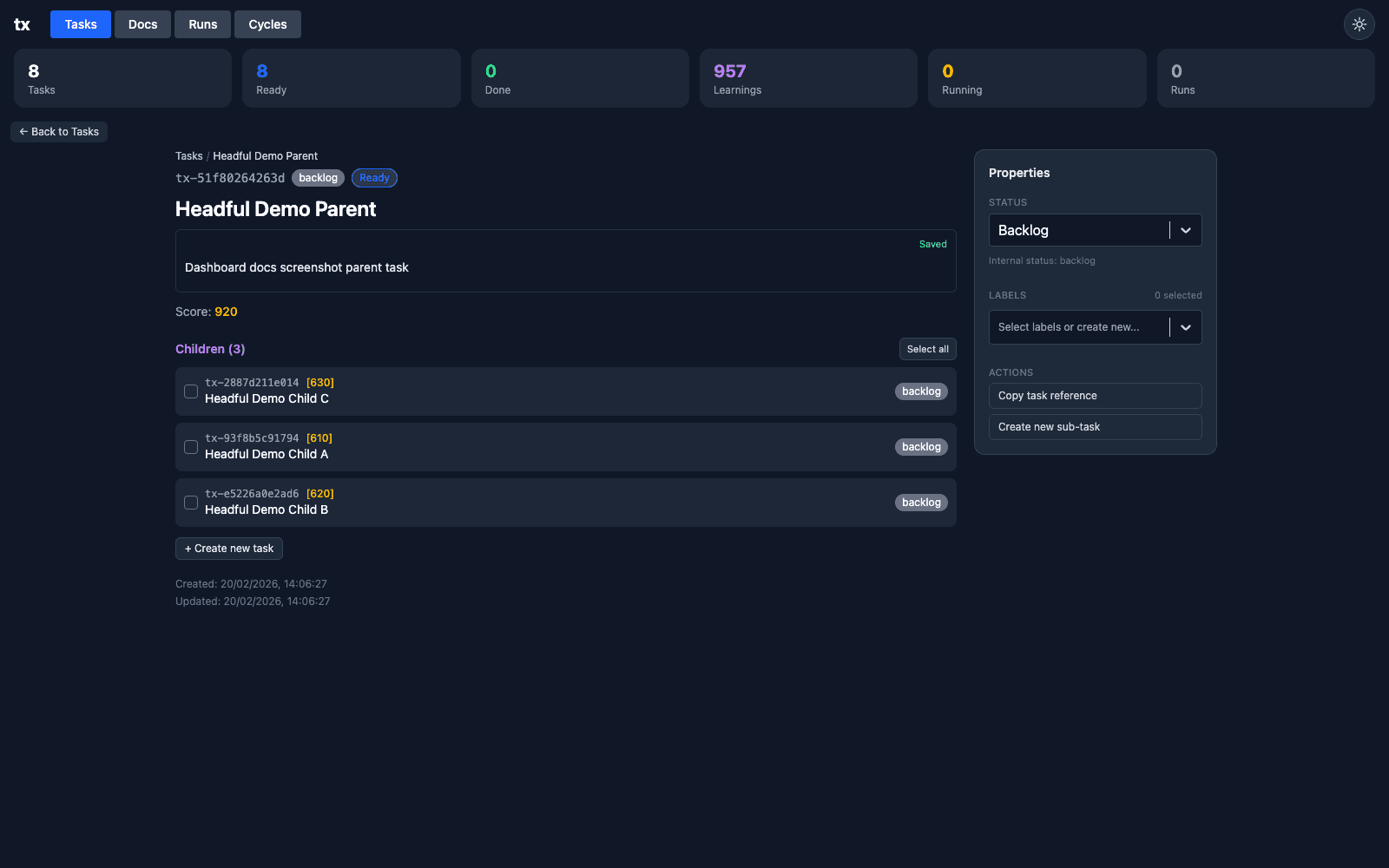
Task Detail + Properties
Task detail gives you:
- parent task context and score
- editable task body
- child task list
- right-side properties/actions panel
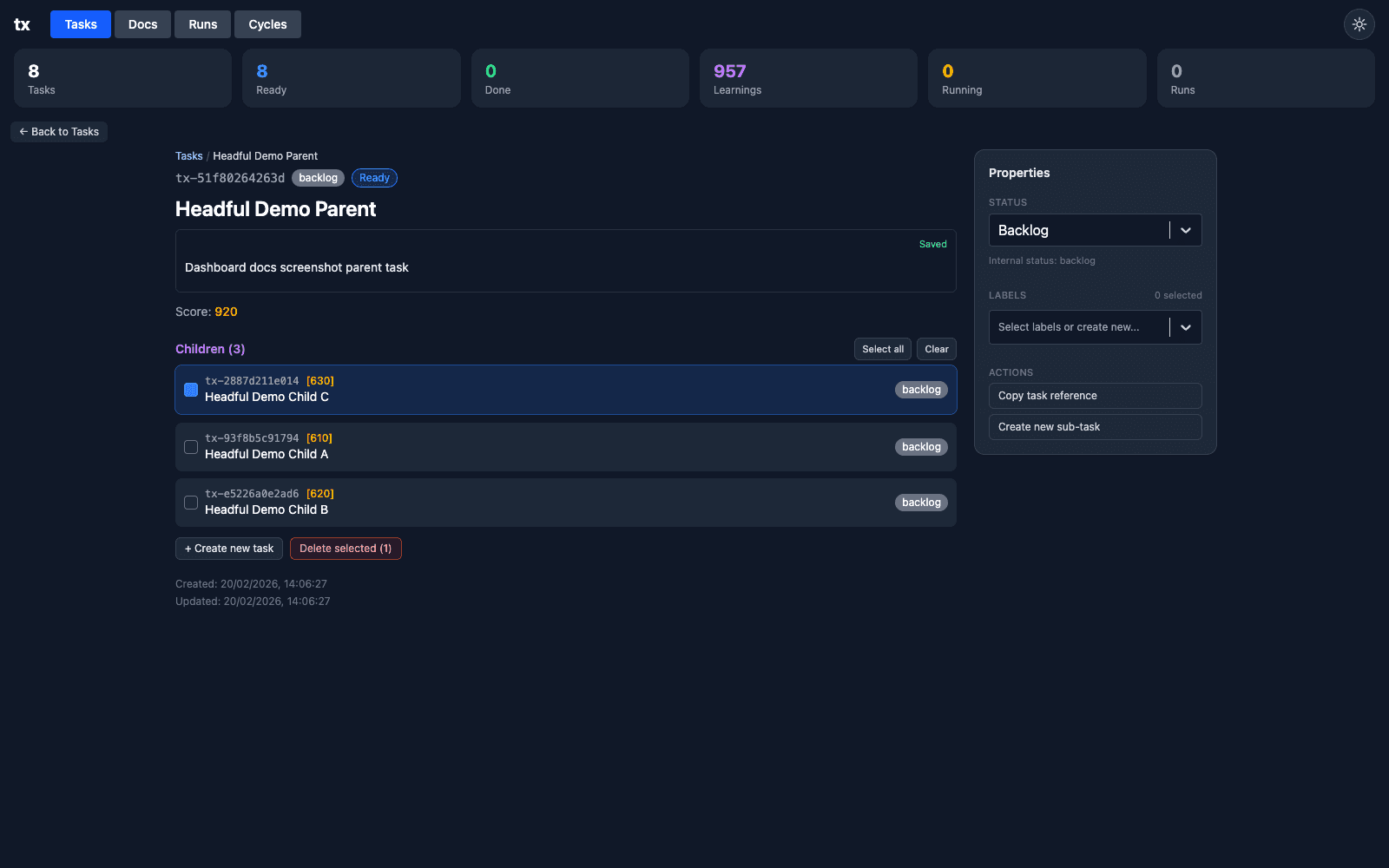
Child Task Bulk Selection
Sub-task operations now support fast multi-select flows for batch work.
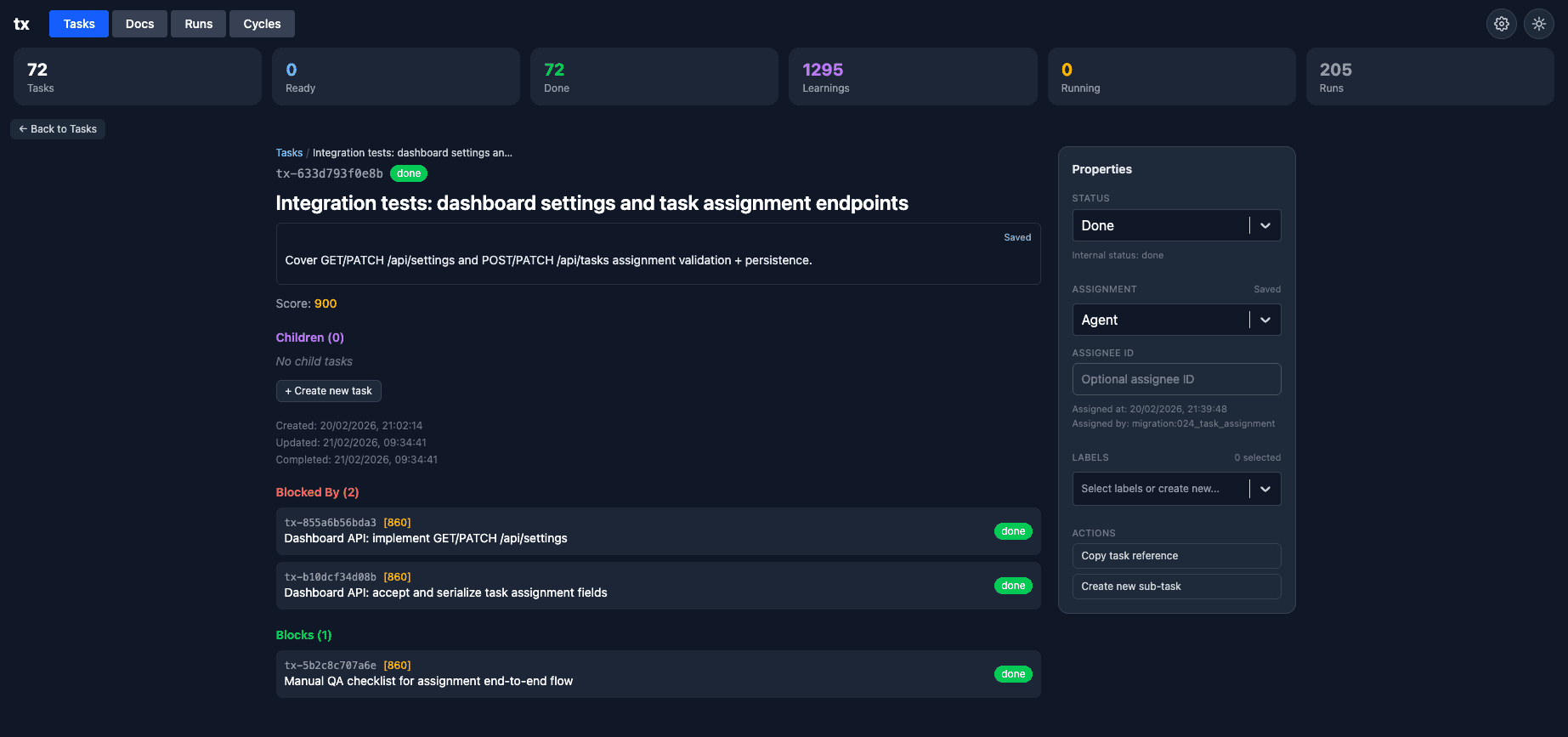
Task Detail Navigation
Task detail now has more reliable breadcrumb/list navigation so you can jump between parent/child detail and the list view without losing context.
Practical Flow
- Open a parent task from the Tasks list.
- Select child tasks that should be handled together.
- Run the relevant batch action.
- Use command palette actions when you want keyboard-only execution.